This week was the beginning of working on the indie development project in this week I began working on level design (not much) and got a basic character for being able to move around the scene. This was to get a good sense of scale before properly getting in to level design.
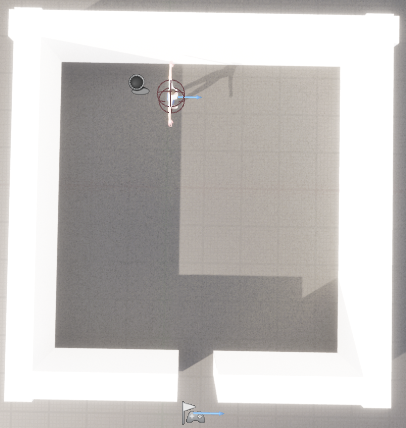
This is the level at the end of the week with just a room using a model of the player for scale reference and having the actual player start just outside of the room.

This is the blueprint for the player movement of forward/backward and left/right. For forward/back it gets the control rotation of the player and breaks that in to a rotator with the Yaw (Z) making a rotator for getting the forward vector which along with the axis value (shown below being the scale value associated with the key pressed) are used to make the add movement input. For moving left/right it goes through the same process for the rotator to bring in to getting the right vector this time to determine the world direction and then along with that the scale value from the axis value (see below again for scale values).
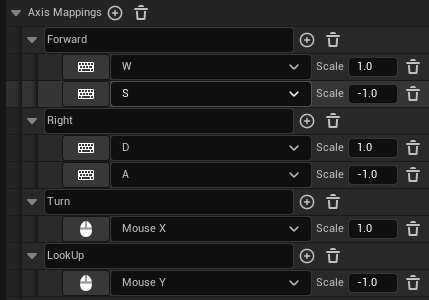
These are the controls and axis mapping which are related to the player controller.
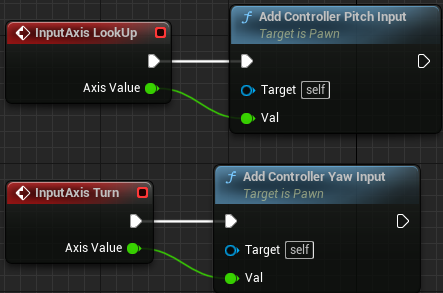
This is the blueprint for the camera controller of the player (looking around) with for looking up/down adding controller pitch based on the axis value (see above axis mapping for values) and for turning left/right adding controller yaw based on the axis value.
Final note the Character model I am using is: https://www.mixamo.com/#/?page=1&query=Megan&type=Character