This week was working on Unreal fundamental tasks project beginning with task 1. This week I created the player controller and complete the tasks of something that moves and something that changes when the player gets near.
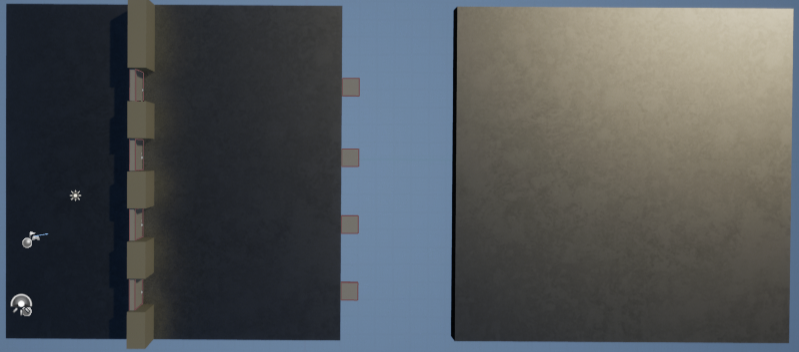
This is an overview of the level at the end of the week it is very basic but shows where each task has been met. With the initial wall with doors to meet the something that changes when the player gets near (door drops). Also the something moves with the platforms that move across the gap to the second platform.
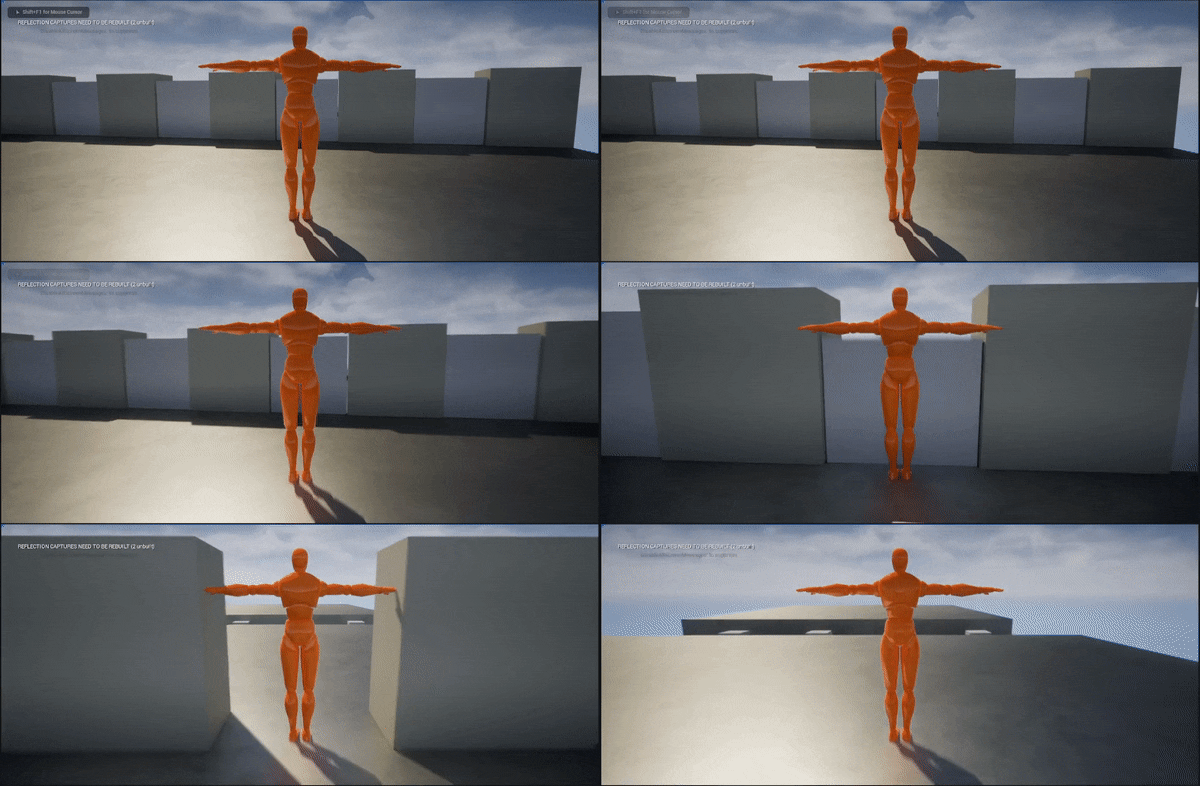
This gif shows the interaction of the door and player so when the player walks up to the door it lowers.

This is the blueprint for how the door is interacted with so when an actor overlaps with the door then it will begin an animation (animation shown below) that determines the door position over time.

This is the animation graph of the door showing how the doors z position is changed over time (in this case 6 seconds) where the door z position starts at 0 and moves down to -180 (below the platform).
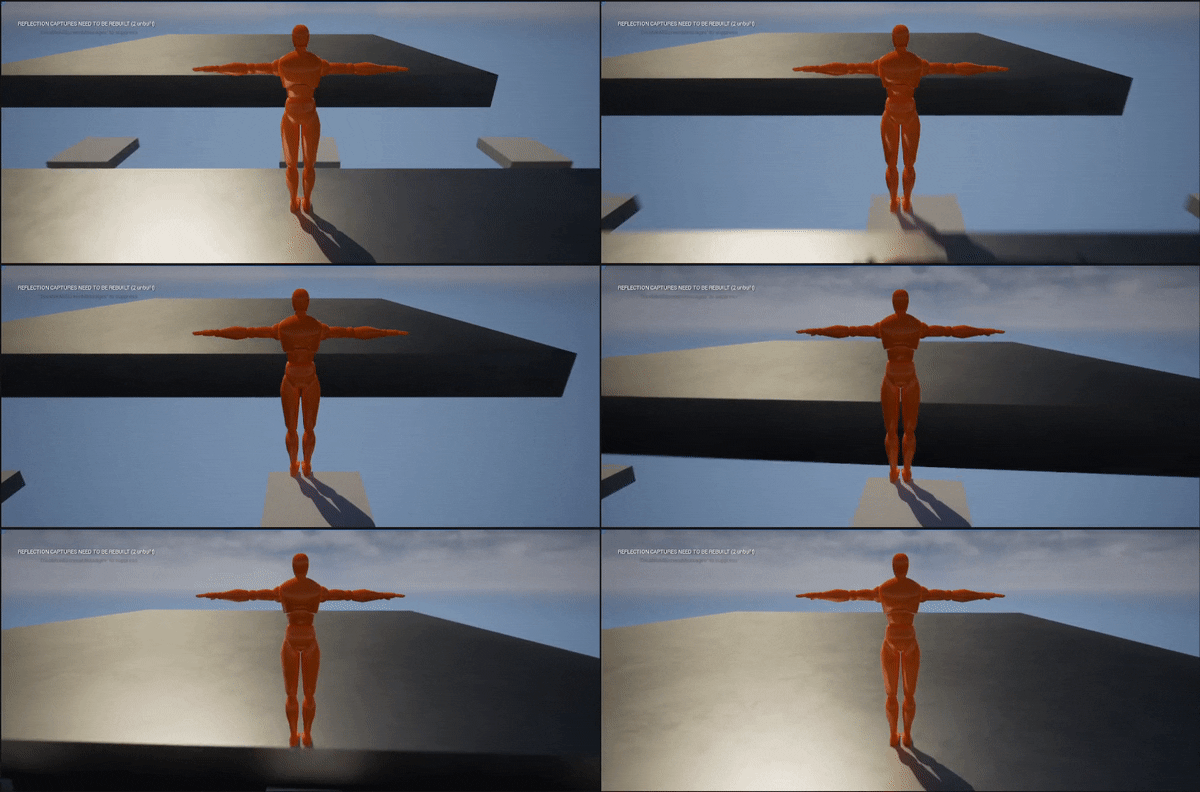
This gif shows the moving platforms also including how the player can interact with them. Note as this is just a gif it may not exactly show but the platforms are constantly moving back and fourth it’s not just a one time cross.

This is the blueprint for the moving platform which similarly to the door works of an animation although a little more complicated as it constantly moves between a start and end position. This is via a lerp with the platform alpha variable is calculated through the animation.
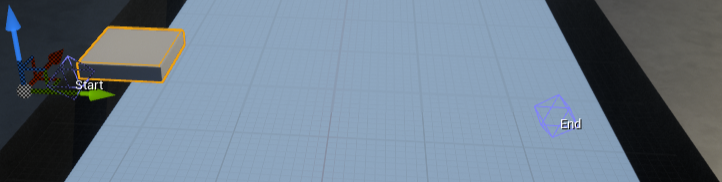
This shows the start and end position of one of the platforms these are set for each platform and are done within the instance editor not the blueprint itself.

This shows the animation graph for the platform alpha where it total over 4 seconds in which it starts from 0 (it interpolates 100% of A for the lerp) to 1 (it interpolates 100% of B for the lerp) at 2 seconds then works back down to 0 again.
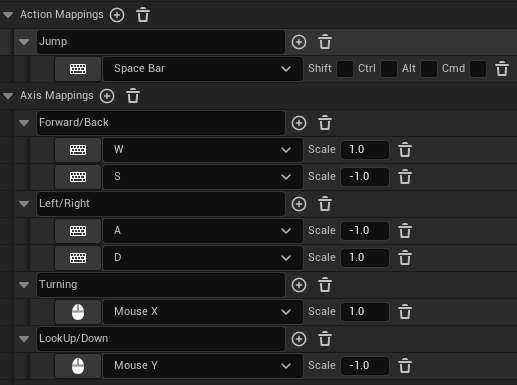
This shows the mapping for the controls of the player.
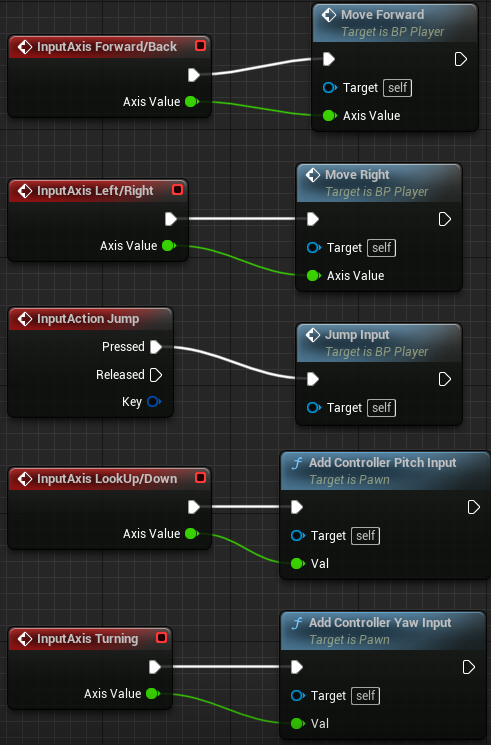
This shows the player blueprint for calling the functions for moving the player from the keys being pressed. The only aspect of movement not done in an external function is to do with direction facing (up, down, left and right) which is moving the pitch and yaw of the character/camera.
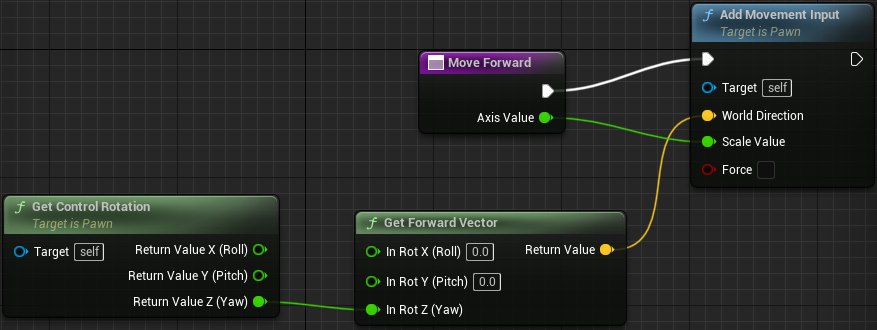
This shows the blueprint for the moving forward/back function. It moves in the direction via getting the rotation Z value to then use that along with the forward vector to determine the world direction (the way the player is facing and position). Then using the axis scale 1 for forward and -1 for backwards (as seen above in axis mapping).

This shows the blueprint for the moving left/right function. This is very similar to the moving forward and back difference being instead of getting the forward vector it’s getting the right vector to determine world direction. Then using the axis scale -1 for left and 1 for right.

The jumping is the most simple one with it just adding 50 to the z position of the player when they press the jump key.